 If you’re a nonprofit trying to get your marketing and data organized, you’ve probably run into some version of this:
- Your donor data lives in one system
- Your email platform is somewhere else
- Events are managed separately
- And reporting across all of it is… not easy
You can still get things done, but it takes extra effort. Things fall through the cracks. And over time, it becomes harder to get a clear picture of what’s actually working. That’s usually the point where a CRM becomes a bigger priority.
For many organizations, HubSpot comes up as an option. It’s flexible, it’s well-known, and it can do a lot. But whether it actually helps depends on how it’s set up and how it connects to everything else you’re using.
What Nonprofits Need from a CRM
Before getting into HubSpot specifically, it helps to define what you actually need your CRM to do.
Most nonprofits are trying to:
- Keep track of donors, members, and supporters in one place
- Understand how people are engaging across emails, events, and campaigns
- Follow up consistently without relying on manual processes
- Segment audiences so communication feels more relevant
- Report on what’s contributing to growth, donations, or participation
If your CRM isn’t helping with those things, it’s probably not doing its job.
This is exactly the kind of structure we map out when building a CRM for nonprofits.
Where HubSpot Fits
HubSpot can support all of those needs, especially on the marketing and engagement side.
It’s commonly used by nonprofits for:
- Email marketing and newsletters
- Contact management
- Automation and workflows
- Tracking engagement across campaigns
It’s a strong platform if your goal is to build a more connected system.
At the same time, it’s not something you can just turn on and expect everything to fall into place. It still needs structure, and it still needs to connect properly with the other tools you rely on.
Common Challenges We See
When nonprofits start using HubSpot, a few patterns tend to come up.
Data isn’t fully connected
It’s common to have multiple systems in play:
- Event platforms
- Donation tools
- Membership systems
Even when integrations exist, they don’t always bring over everything you expect.
Important details don’t make it into the CRM
Teams often collect useful information through forms or event registrations, but that data doesn’t always show up where it needs to in HubSpot.
That makes it harder to:
- segment your audience
- tailor follow-up
- or understand who you’re really engaging with
Processes are still manual
Even with a CRM in place, a lot of work still happens manually:
- exporting lists
- updating records
- sending one-off emails
That usually points to gaps in setup or automation.
Why Integrations Matter
Your CRM is only as useful as the data inside it.
That’s where integrations start to matter.
Take Eventbrite as an example. It’s widely used for nonprofit events and does a great job managing registrations.
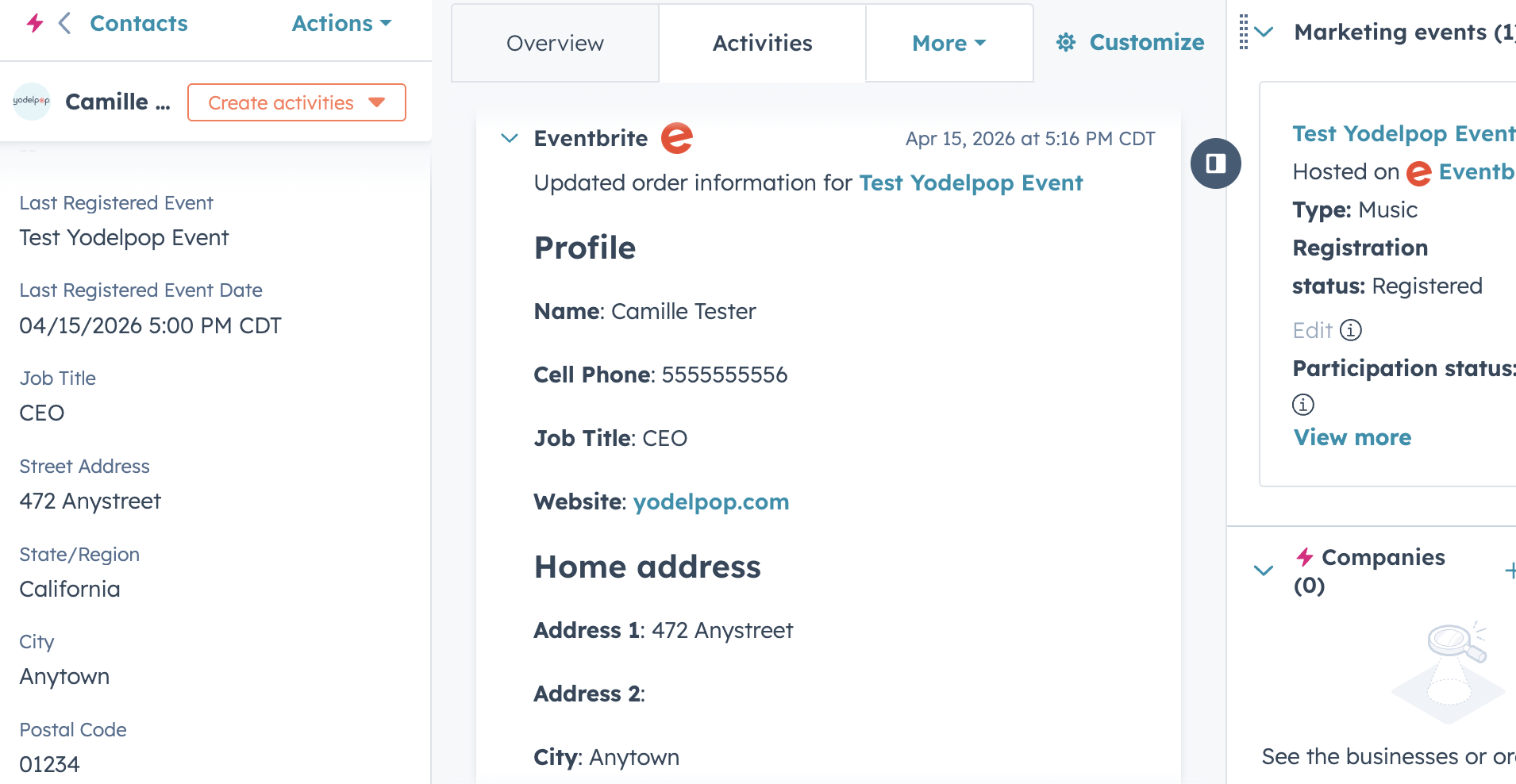
But when you connect it to HubSpot, the data doesn’t always come through the way you’d expect. Standard information like name and email will sync, but custom questions—like role, interests, or organization type—often don’t.
That creates a gap between what you collect and what you can actually use inside your CRM.
The good news is this is fixable. With HubSpot, you can make the HubSpot Eventbrite integration work with a few simple adjustments.
That’s one of HubSpot’s strengths. It has a large ecosystem of integrations, and it’s flexible enough to connect with other tools when you need to fill in the gaps.
Building a More Connected System
When HubSpot is set up well, it becomes more than just a place to store contacts.
It gives you a way to:
- see how people are engaging over time
- group contacts based on behavior or interests
- follow up automatically after events or campaigns
- keep communication consistent across your team
But that only happens when the pieces are connected and the data is reliable.
A More Practical Way to Think About It
HubSpot is one part of a larger system.
It works best when:
- your data flows into it cleanly
- your contacts are organized in a way that makes sense
- and your follow-up is tied to real actions people are taking
Without that, it’s easy for it to become just another tool you have to manage.
Ready to map your nonprofit CRM architecture?
Download the free Nonprofit CRM Growth Roadmap — a hands-on workbook to assess your current setup, map your contact lifecycle stages, and identify the configuration gaps that are costing you leads and conversions.